Ask MagCloud: General MagCloud
1099 and annual earnings information
This article explains how to calculate your annual MagCloud earnings, particularly for tax and 1099 purposes. You’ll need to log in to your MagCloud account to check your payment history.
If you have questions about your payments after reviewing this information please contact MagCloud’s support team.
Important 1099 info
If you receive a 1099 for your MagCloud earnings it will show the Payer name of our parent company, RPI Print, Inc/Reischling Press, Inc, rather than MagCloud.
Your paper 1099 will be mailed at the end of January and arrive by mid-February. A digital PDF version will be available for online retrieval after the paper copy is sent. Watch for an email from our third party 1099 service regarding the digital version.
Who gets a 1099?
MagCloud/RPI will only issue a 1099 if you were paid $600 or more in a calendar year and checked one of the boxes indicating you're a US citizen, US resident, or US business owner.
If you're selling on both MagCloud and Blurb (another RPI brand) using the same SSN or tax ID, we'll combine your earnings from both platforms to determine if you reached the annual $600 threshold.
Viewing your profit payments
1. Log in to your MagCloud account.
2. Go to the Sales Statistics page: https://www.magcloud.com/publish/salesstats
3. Click Payment History.
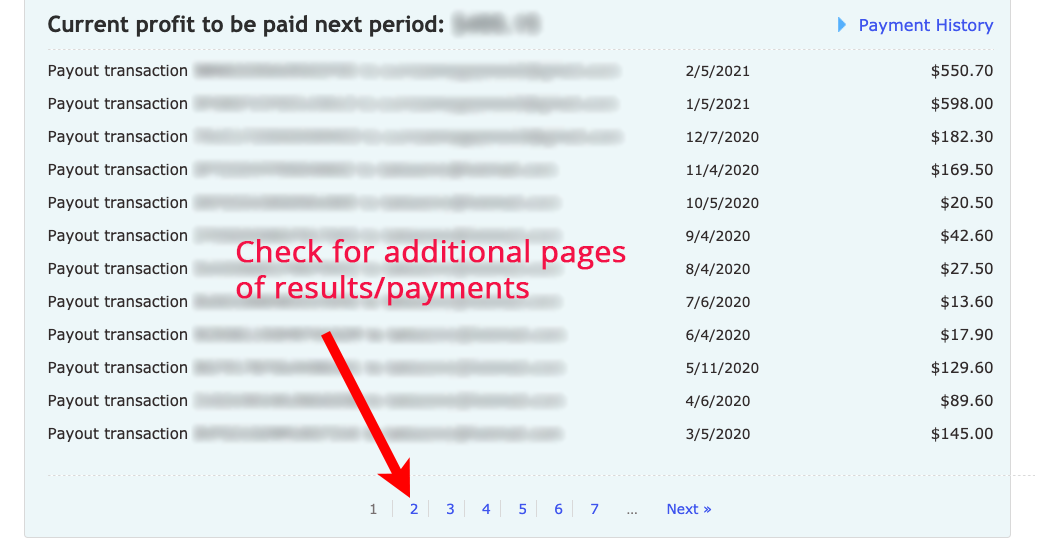
4. You'll now see a list of payout transactions. These are your author earnings (and any referral payments). Each payout transaction has a date to its right, and that's the date the payment was sent to you. On the same line you'll see the Paypal account the payment was sent to (blurred below for privacy).
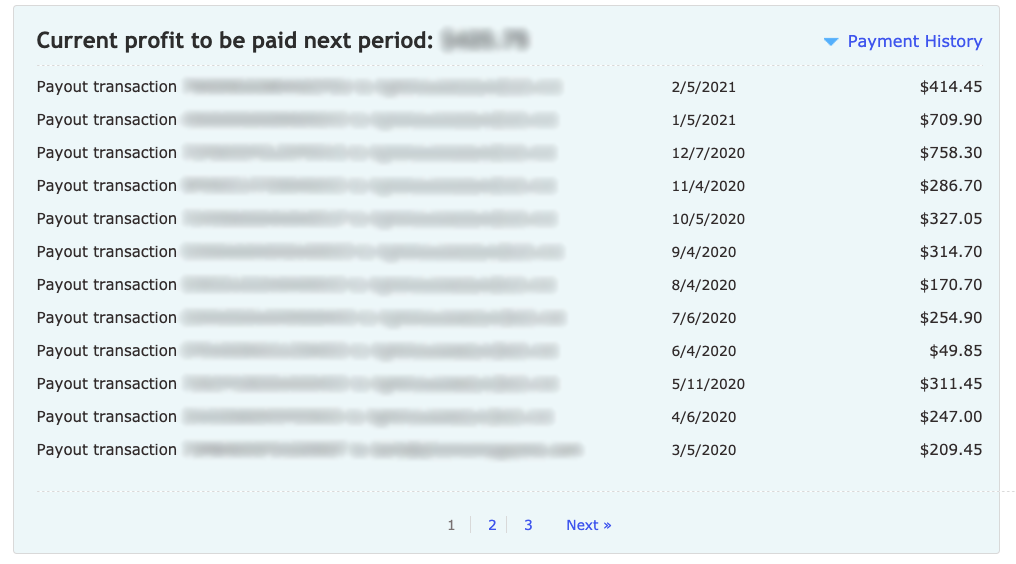
Calculate your annual earnings
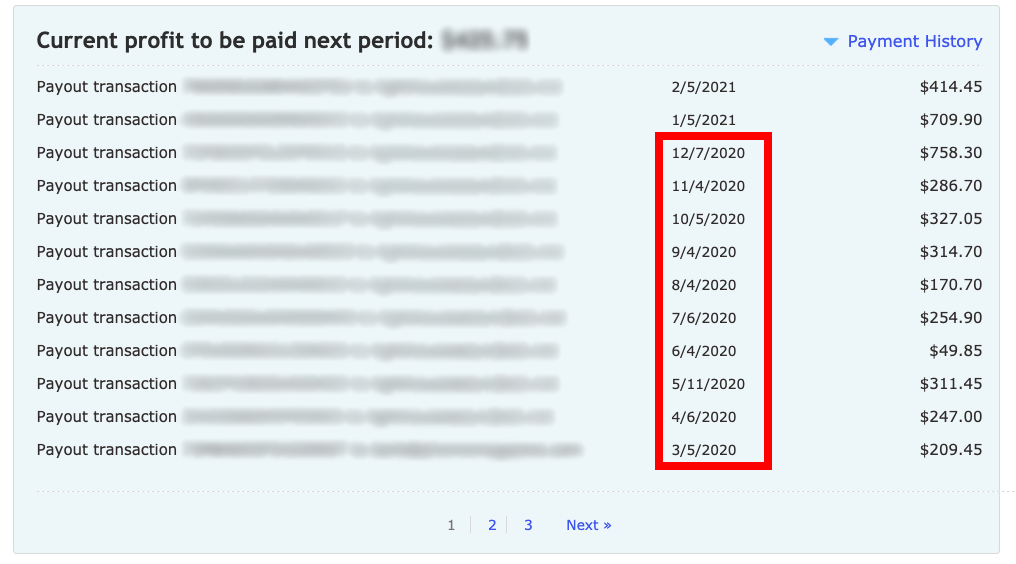
To calculate your earnings for a specific year, simply add up the payments in your Payment History for each month of that year.
Here's a sample showing all 2020 earnings from this page of results:
Remember to check any additional pages of results/payments for that year: